
The Runtime Unreal Engine 5 Plugin provides several Blueprint nodes, which are described here.
All Blueprint nodes require a FaceFX Component to be wired to their respective Target slots. The Setup Blueprint node requires the Skel Mesh Comp slot to be wired with the Skeletal Mesh Component to animate. The Skel Mesh Comp is optional for the other Blueprint nodes (this is so a single Blueprint can drive multiple characters). If it is not supplied, the first one found is used.
Setup
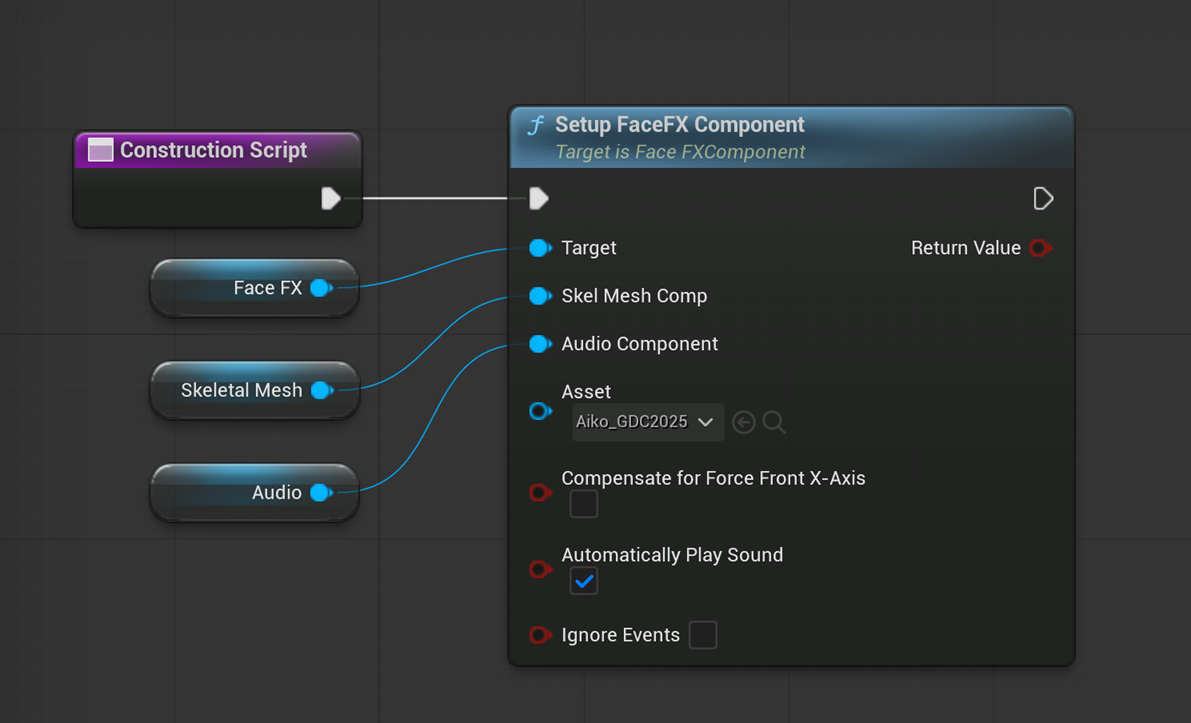
The Setup Blueprint node initializes the linked FaceFX Component with the linked Skeletal Mesh Component and specified FaceFXActor asset. It must be called in the Construction Script before any other Blueprint node.
-
The Target slot is required and should be wired to the FaceFX Component.
-
The Skel Mesh Comp slot is required and should be wired to the Sekeltal Mesh Component to animate.
-
The Audio Component property should be set to the Audio Component used to play the audio.
-
The Asset property is required and should be set to the FaceFXActor asset to be used for animation.
-
The Compensate For Force Front XAxis property should only be checked if Force Front XAxis was checked when the Skeletal Mesh was imported. Not keeping these settings in sync will result in animations playing in the wrong coordinate system and can resemble an exploded face.
-
The Automatically Play Sound property is optional. When checked, the audio associated with the FaceFXAnim asset being played will automatically be started at the appropriate time.
-
The Ignore Events property is optional. When checked, events will be ignored. This is irrelevant for SGX.
Play
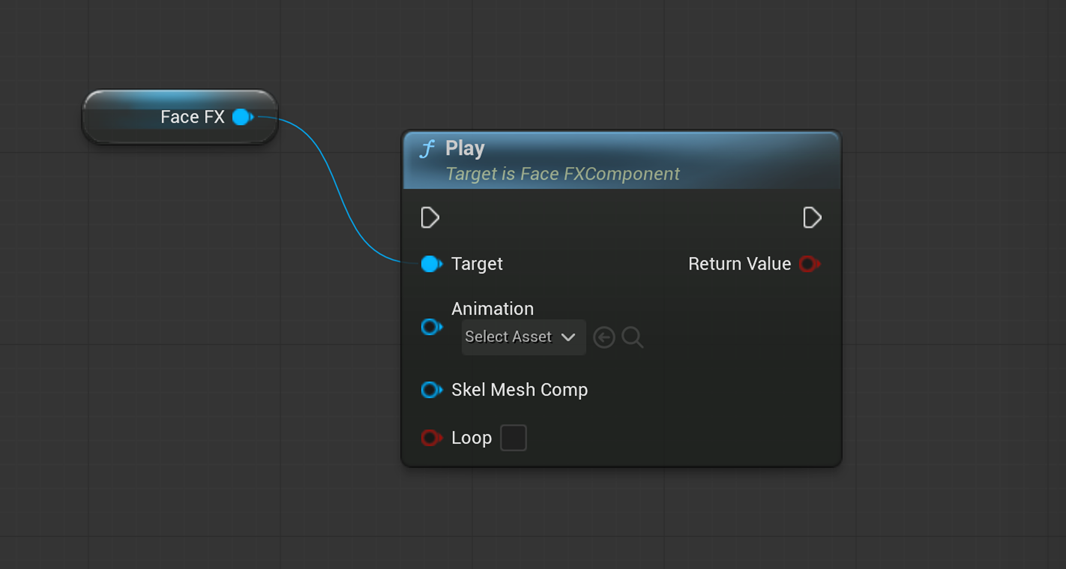
The Play Blueprint node plays the linked FaceFXAnim asset.
-
The Target slot is required and should be wired to the FaceFX Component.
-
The Animation property is required and should be set to the FaceFXAnim asset to be played.
-
The Skel Mesh Comp slot is optional. It should be wired to the Skeletal Mesh Component to animate. If it is not set, the first Skeletal Mesh Component found is used.
-
The Loop property is optional. When set it causes the FaceFXAnim asset being played to loop continuously until manually stopped.
Play by Id
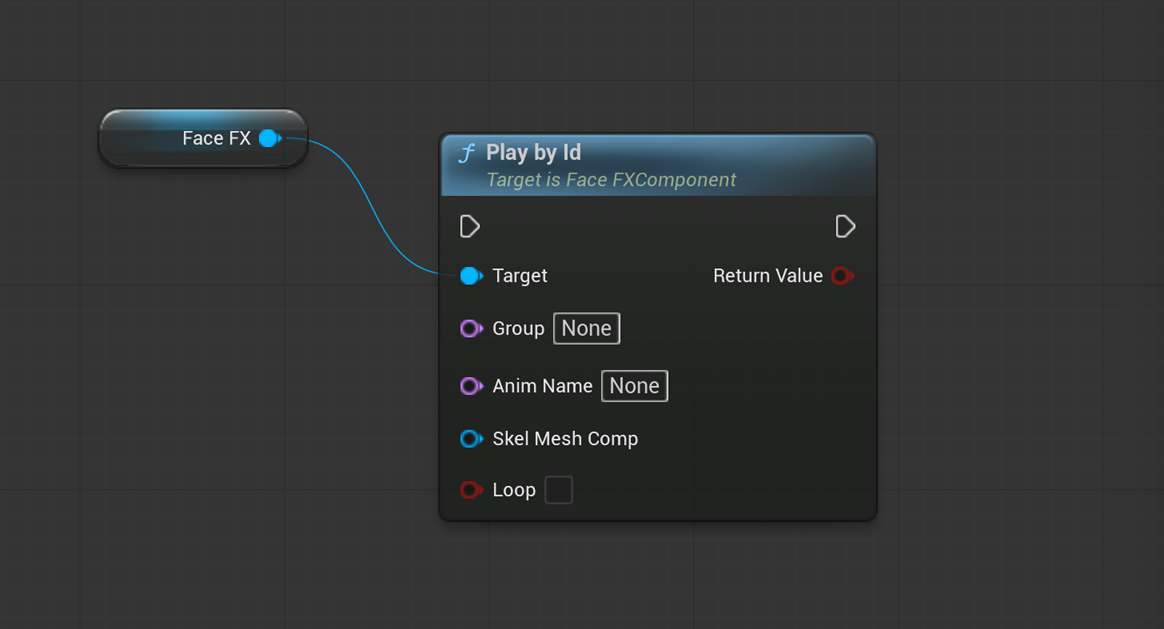
The Play by Id Blueprint node plays a FaceFXAnim asset using a string ID created in the form Group/AnimName. The FaceFXAnim asset must be linked to the FaceFXActor asset in order for it to be found and played.
-
The Target slot is required and should be wired to the FaceFX Component.
-
The Group property is optional. If set, it specifies the animation group that contains the animation to be played. If not set, the first animation linked to the FaceFXActor asset found with the same name specified by the Anim Name property is played.
-
The Anim Name property is required. It specifies the name of the animation to play.
-
The Skel Mesh Comp slot is optional. It should be wired to the Skeletal Mesh Component to animate. If it is not set, the first Skeletal Mesh Component found is used.
-
The Loop property is optional. When set it causes the FaceFXAnim asset being played to loop continuously until manually stopped.
Pause
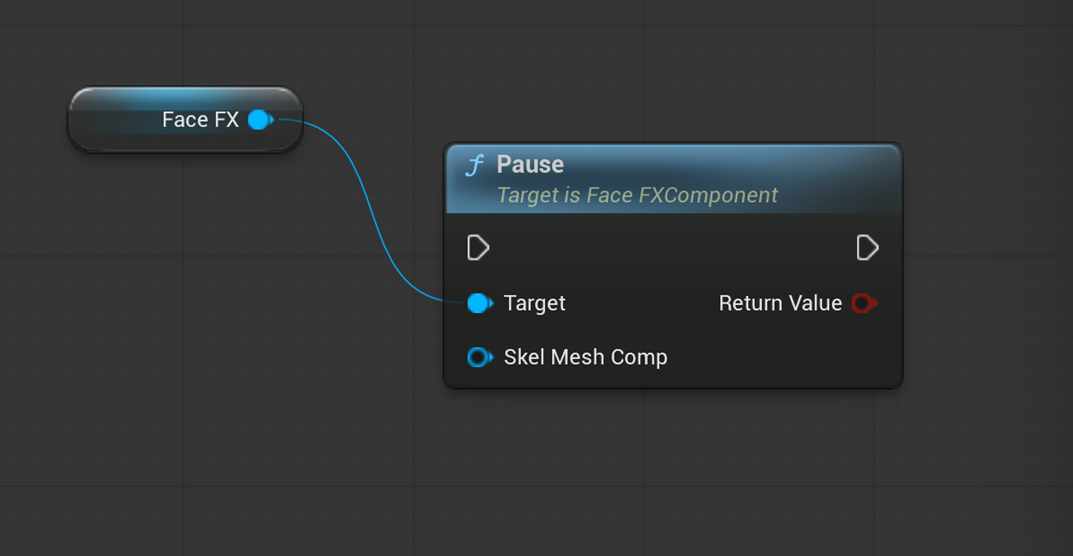
The Pause Blueprint node pauses all animations and audio files playing on an actor.
-
The Target slot is required and should be wired to the FaceFX Component.
-
The Skel Mesh Comp slot is optional. It should be wired to the Skeletal Mesh Component to animate. If it is not set, the first Skeletal Mesh Component found is used.
Resume
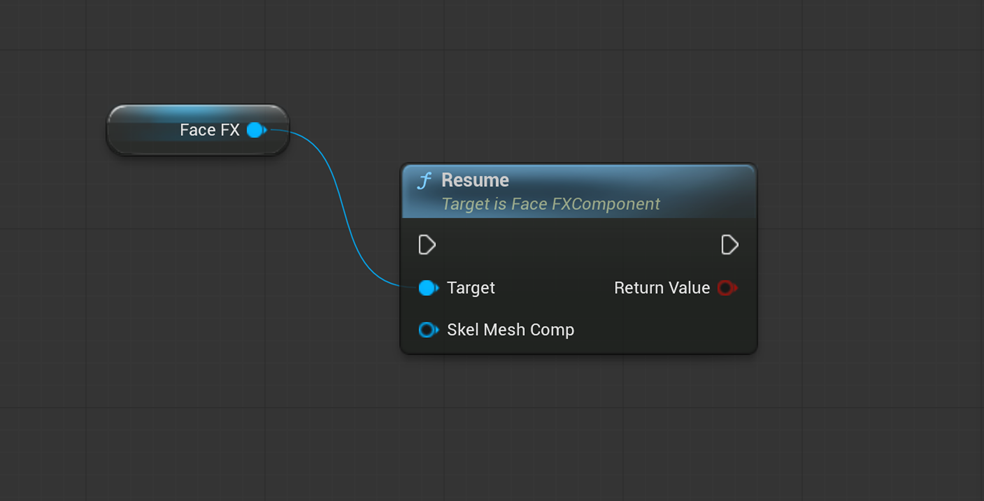
The Resume Blueprint node resumes all paused animations and audio files.
-
The Target slot is required and should be wired to the FaceFX Component.
-
The Skel Mesh Comp slot is optional. It should be wired to the Skeletal Mesh Component to animate. If it is not set, the first Skeletal Mesh Component found is used.
Stop
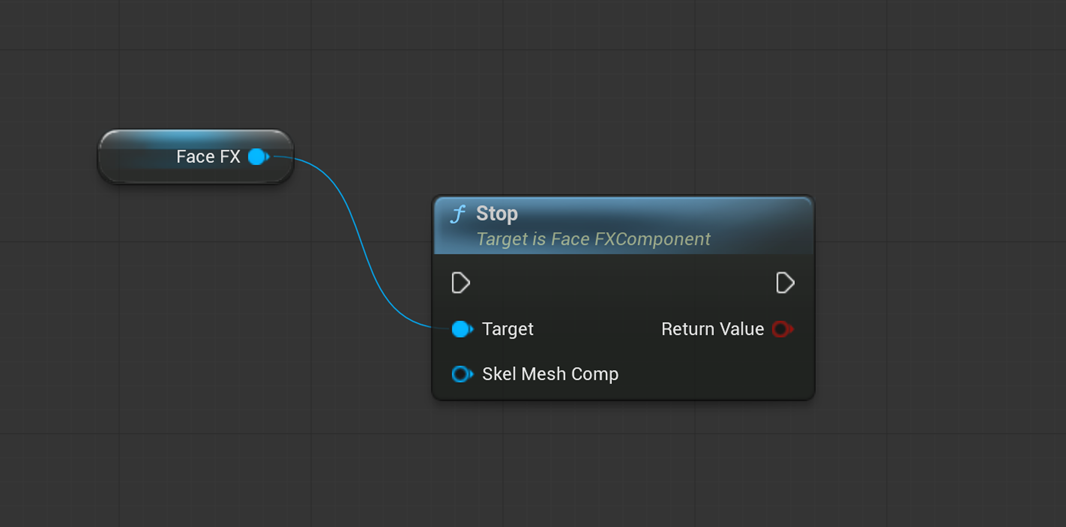
The Stop Blueprint node stops all animations and audio files playing on an actor.
-
The Target slot is required and should be wired to the FaceFX Component.
-
The Skel Mesh Comp slot is optional. It should be wired to the Skeletal Mesh Component to animate. If it is not set, the first Skeletal Mesh Component found is used.
On Animation Event
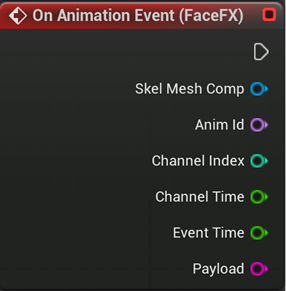
The On Animation Event Node in the Event Graph is created by selecting the FaceFX Component from the Blueprint and adding the On Animation Event from the Events section of the Details tab. Use this node to make use of the event payload and other event properties (the Skeletal Mesh Component, Animation Id, Channel Index, Channel Time, and Event Time) in your game. This is irrelevant for SGX.