
The Runtime Unreal Engine 5 Plugin adds several new options to the right-click context menus for assets in the Unreal Editor.
FaceFXActor Asset
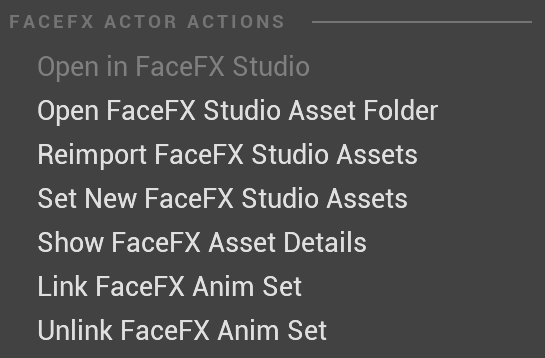
Open in FaceFX Studio
Opens the .facefx file in FaceFX Studio (if the path to your FaceFX Studio installation is correct in the FaceFX.ini file).
Note: Only available on Windows and irrelevant to SGX.
Open FaceFX Studio Asset Folder
Opens the folder that contains your .facefx file.
Reimport FaceFX Studio Assets
Batch imports the actor and any modified animation via the .ffxc folder that is parallel to the .facefx file and links the animations to the actor.
Set new FaceFX Studio Assets
Assigns this actor to a different .facefx file. Use this to update the source data for the Unreal Engine 5 asset while still preserving all of the Blueprint asset references in UE5.
Show FaceFX Asset Details
Lists the animations linked to this actor, the bone names in the actor, and the size of the actor.
Link FaceFX Animset
Links animations to the actor.
Unlink FaceFX Animset
Unlinks animations from the actor.
FaceFXAnim Asset
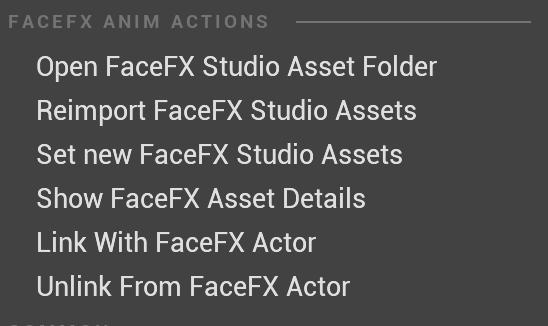
Open FaceFX Studio Asset Folder
Opens the folder that contains your .facefx file.
Reimport FaceFX Studio Assets
Reimports the selected animation asset only. Does not link or unlink the animation.
Set new FaceFX Studio Assets
Assign the animation to a different .facefx file.
Show FaceFX Asset Details
Displays the source FaceFX filename, the animation group, and the animation name.
Link with FaceFX Actor
Links the animation with an actor.
Unlink From FaceFX Actor
Unlinks the animation from an actor.