In order for the Runtime Unreal Engine 5 Plugin to control a character, the character first needs to be properly set up with an Animation Blueprint and a Blueprint Class.
-
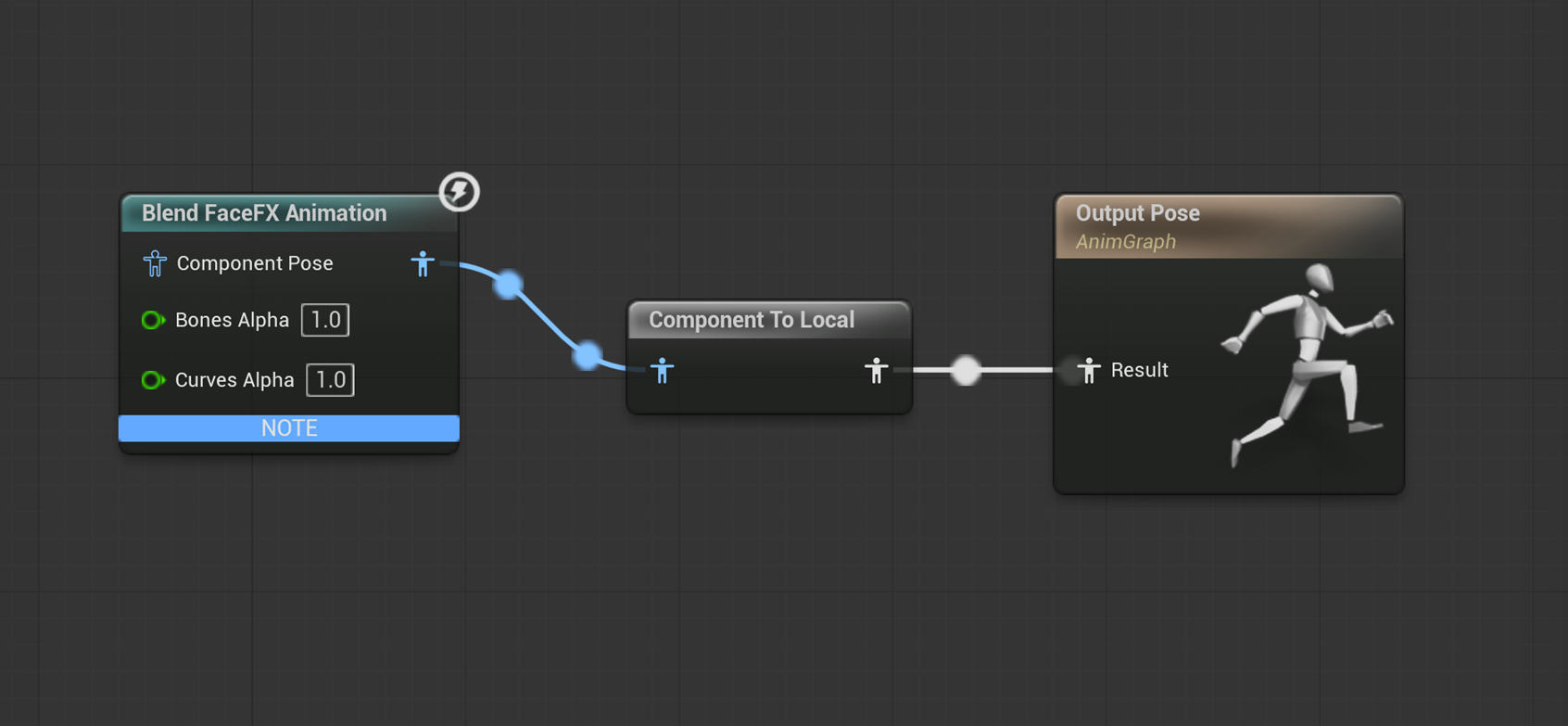
Create an Animation Blueprint for the character and add a Blend FaceFX Animation node. The Blend FaceFX Animation node needs to be connected to the Final Animation Pose node via a Component To Local node.
-
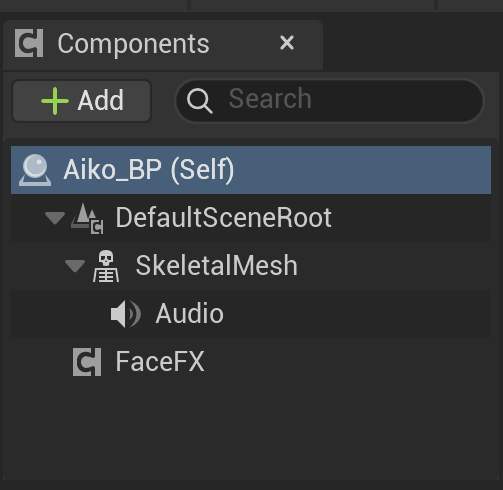
Create a Blueprint Class for the character that is based on SkeletalMeshActor and references the Animation Blueprint created in the previous step. Add a FaceFX component and an Audio component to the Blueprint Class.
-
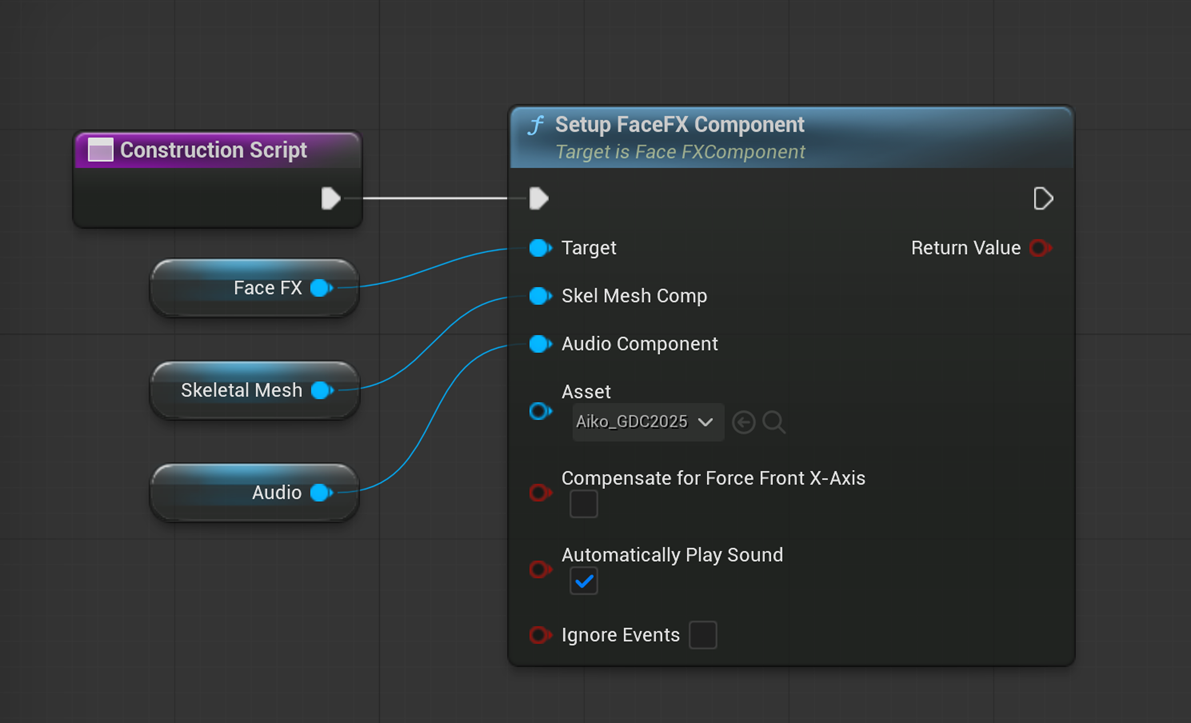
In the Construction Script of the Blueprint Class created in the previous step, add a Setup FaceFX node. Drag the Skeletal Mesh Component from the Components list into the Construction Script and wire it up to the Setup FaceFX node's Skel Mesh Comp slot. Finally, wire the Construction Script node to the Setup FaceFX node.
-
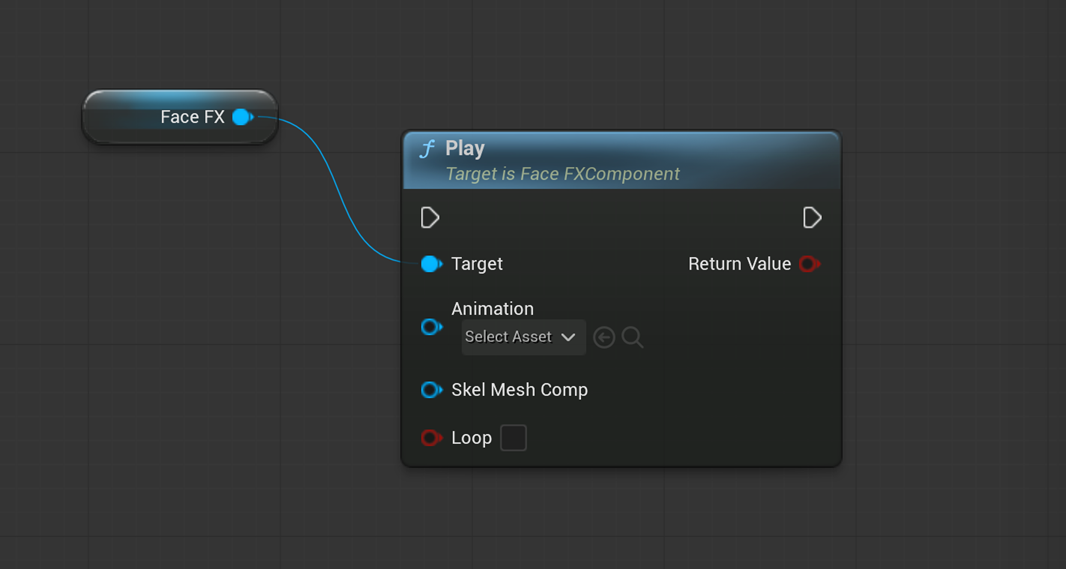
Animations can be played with Play or Play By Id FaceFX Blueprint nodes if they are compatible with the actor. A compatible animation is one that was compiled with the actor or compiled with an actor having an identical Face Graph setup.