
Runtime animation scan be played from Sequencer. Follow this process to set it up:
-
Add a Sequence.
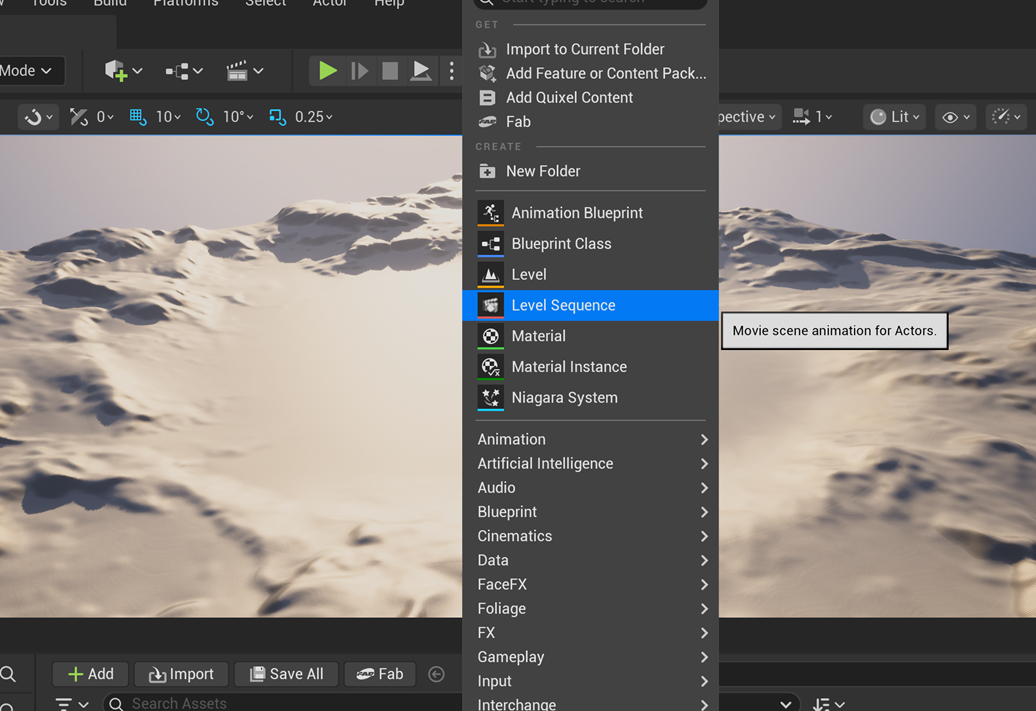
-
Add an Actor to the sequence. Make sure the actor has a FaceFX Component added to the blueprint.
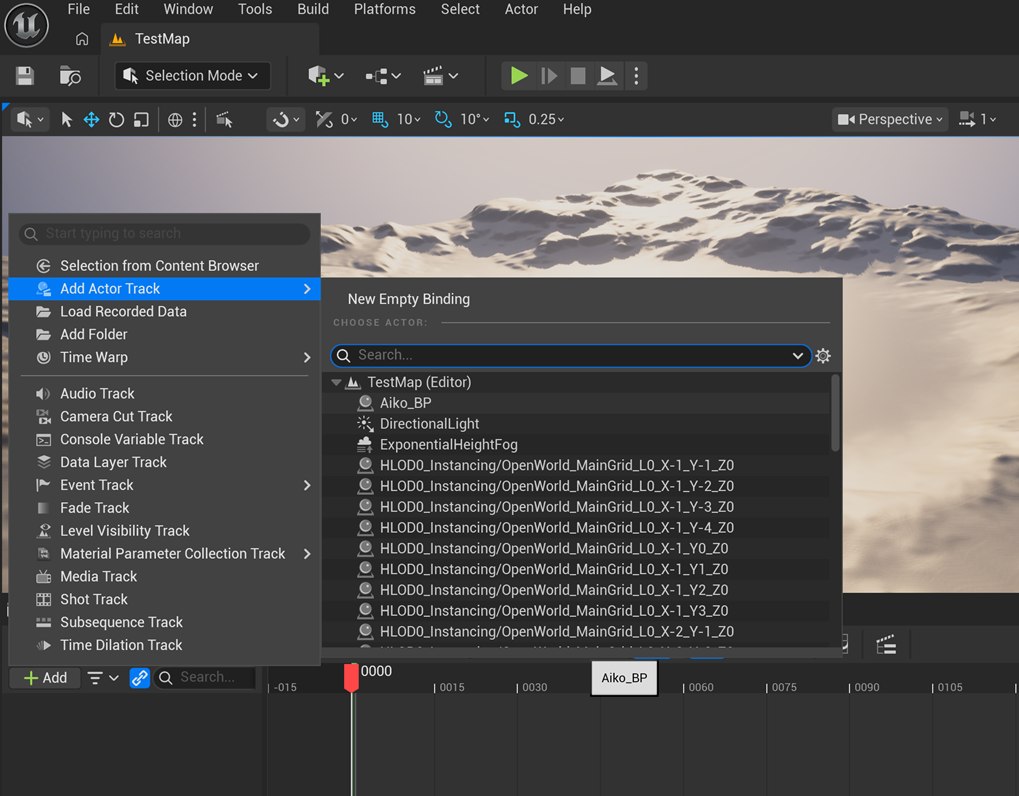
-
Select + Track and add a FaceFX Component Track.
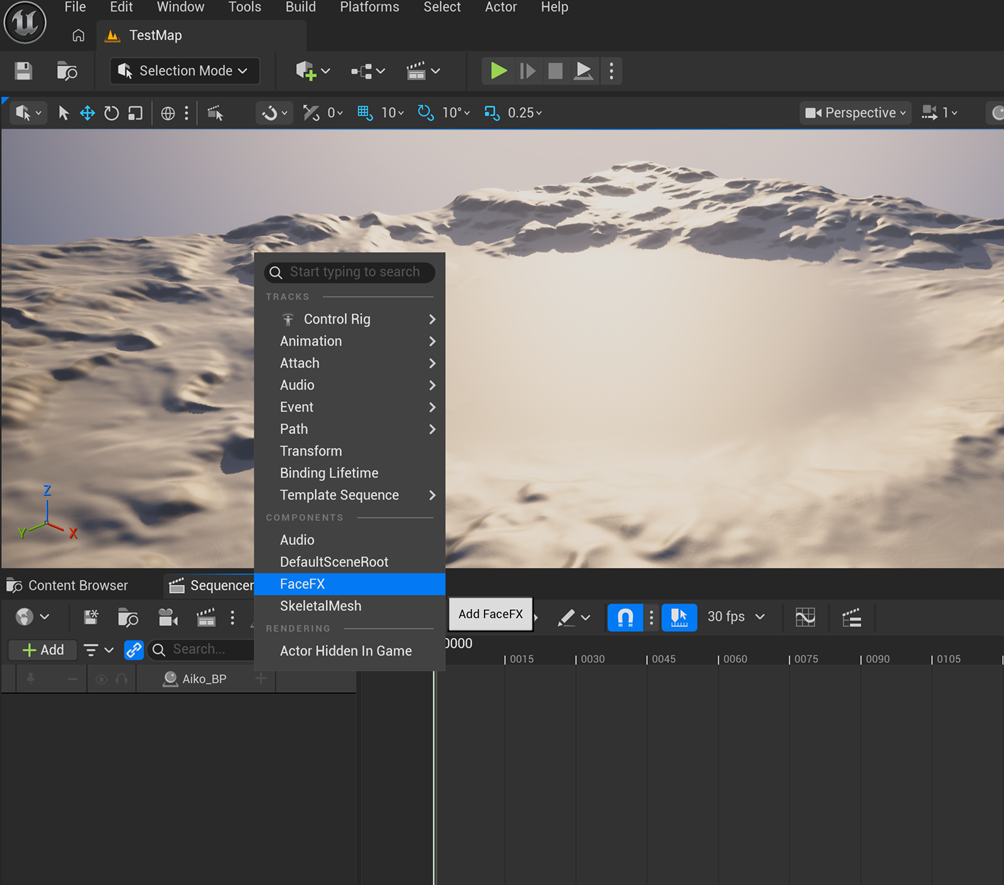
-
Add a Facial Animation track to the FaceFX Component Track.
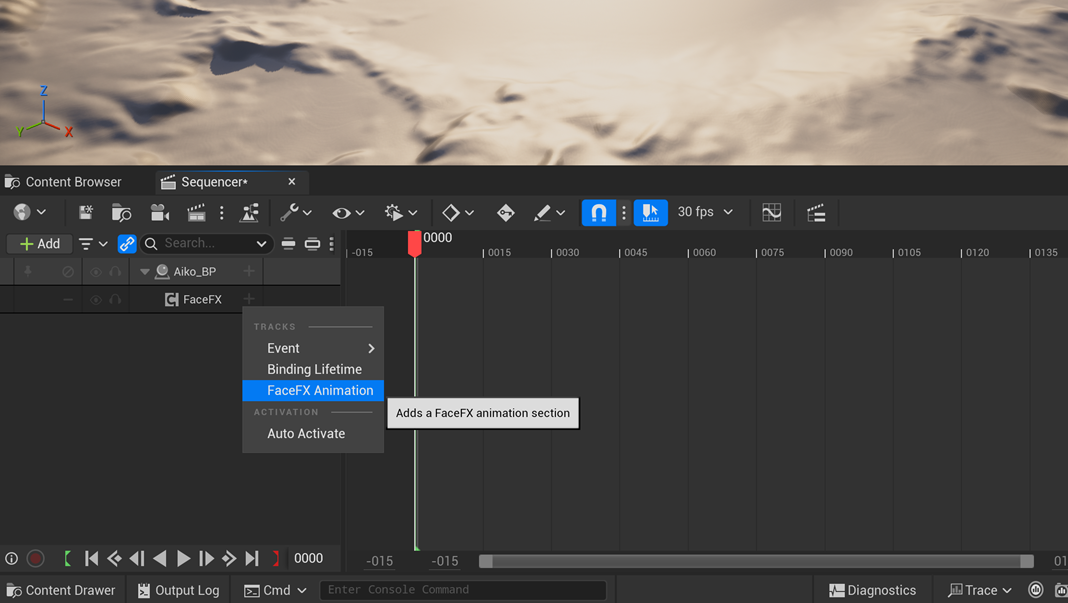
-
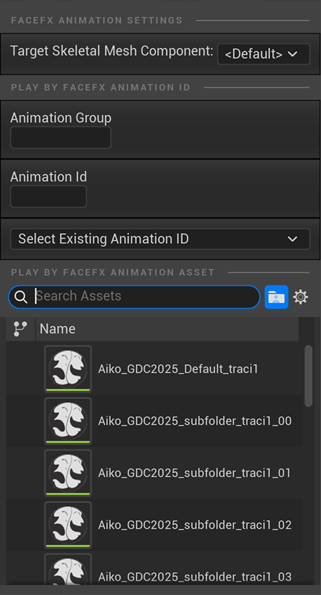
Select the animation you want to add. Make sure the animation is compatible with the actor selected for the track.
-
Trigger the Sequence. Once you have set up the Sequence, don't forget to trigger it from your game so you can see the FaceFX animations when you Play in Editor. The easiest way to do this is to select Auto play checkbox the Sequence details.